- Leading Product
- Posts
- Build a Composable AI Operating System

A Self-Inflicted "Aha!" Moment
When Aakash Gupta invited me on the Product Growth Podcast, he asked for my top AI tools.
I started listing them: Claude Desktop, Cursor, Manus, FireCrawl, Linear MCP, GitHub MCP, Notion MCP...
Then I stopped.
Because I realized something: I very rarely use a single tool to get things done.
MCPs connected. Skills configured. Knowledge graphs tracking context across projects. I'd built this whole setup piece by piece over months. But when I tried to explain it as a "tool stack," it didn't make sense.
I wasn't using tools. I was orchestrating capabilities.
So I reached out to Aakash and we pivoted. Instead of talking about tools, we walked through how I actually work—how modern PMs can work—when they stop thinking about SaaS subscriptions and start thinking about composable operating systems.
The real unlock for AI-driven productivity isn't finding the right tool. It's building the ability to compose whatever capabilities you need to do anything.
That's when Professor X clicked for me.
I've been an X-Men fan since the 1992 animated series—that theme song still hits—and I fell deeper into the comics and cards from there. But Cerebro as a concept never landed for me as a work metaphor until this moment.
Picture it: Xavier sitting in that chamber, not fighting battles himself, but mentally connecting with mutants across the globe. Coordinating capabilities. Seeing the full picture. Directing specialized powers exactly when and where they're needed.
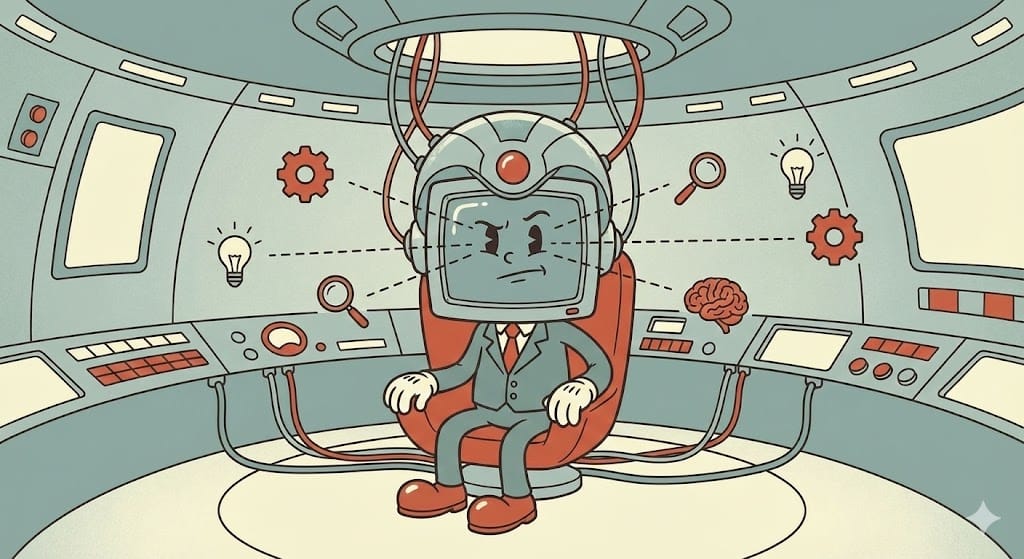
Each mutant has unique abilities. Some are essential to nearly every mission. Others are specialists you call in for specific situations. They all train in the Danger Room—not just to use their powers, but to work together as a coordinated team.
Professor X isn't the strongest fighter. He's not the fastest or the most indestructible. But he's the most effective because he orchestrates everything.
That's what product managers can do right now with AI infrastructure.
Not someday. Not in private beta. Right now.
Most PMs haven't figured it out yet because they're still thinking about AI tools like individual superpowers to collect, not a command center to orchestrate.
Here's what's actually happening—and how you build your own Cerebro— and be sure to check out the convo with Aakash on the Product Growth Podcast.
The Meta Moment (Because Of Course)
Before we dive in, I need to tell you about the final step of writing this article.
After drafting everything, I wanted to see how Aakash had written up our conversation. So I opened Claude Desktop, used the FireCrawl MCP to scrape his article, and asked Claude to help me identify any gaps or areas where his framing could enhance mine.
The irony isn't lost on me: I'm writing about composable AI operating systems while using that exact operating system to improve the writing.
The only thing that would have made it better? A Beehiiv MCP so I could push the final draft directly to my newsletter without leaving Claude.
(Anthropic, if you're listening: newsletter platform integrations would be chef's kiss.)
From Tool Stack to Operating System
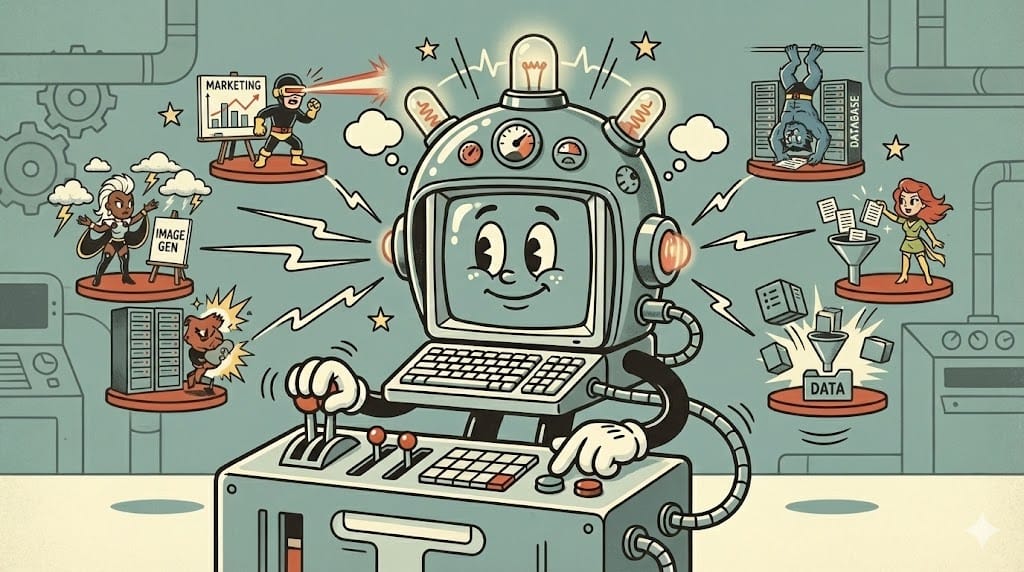
Most PMs think in terms of tool stacks:
Here's my research tool.
Here's my design tool.
Here's my analytics tool.
Here's my project management tool.
The problem is you're context-switching all day. I realized that I have been subconsciously making changes to how I work to optimize for the most impactful work that also requires the most focus.
One of the obvious ways to do that was to minimize the “cost” of switching between tools — both in terms of time and focus.
I knew the second I started playing with MCP servers that they would change how I work. I didn’t realize how big of an advantage it would be to be able to reach all of those different tools and connect the context and functionality they bring inside a single, personal, operating system.
What Makes an Operating System Different
A tool stack is a list of applications. An operating system is a layer of abstraction.
Instead of logging into 20 different UIs, you work from one central interface that connects to everything else.
Cursor and Claude Desktop become your command center. Everything flows through them.
Need to check if a JIRA ticket is closed? Ask from Cursor. Don't open JIRA.
Need to compare a Figma design to your PRD? Ask from Claude. Don't manually cross-reference.
Need analytics on user behavior? Pull data into Cursor. Don't export CSVs.
The composable mindset is borrowed from technical architecture and MarTech. You pick and choose how capabilities are configured to meet your needs at that moment. Like modular furniture that rearranges based on the task.
Some days you need deep research. You pull in Manus and external datasets.
Some days you're building features. You connect to GitHub, JIRA, and Figma.
Some days you're analyzing user behavior. You pipe in analytics and run analysis.
The operating system adapts. Tool stacks don't.
AI Native PMs Think in Prompts
Here's something Aakash pulled out of me during our conversation that sounded silly at first but turned out to be profound:
"AI native PMs think in prompts."
Most people think "I need to do X, so I'll open Y tool."
AI native PMs think "I need to do X. What are the instructions? What are the steps? What's the best way to get this done?"
They treat AI as an extension of themselves.
If you're reflective, you probably already do this internally. You have an inner dialogue where you break down tasks into steps.
AI native PMs externalize that dialogue into prompts.
This mindset shift unlocks everything else.
The Cerebro Architecture: Building Your Command Center
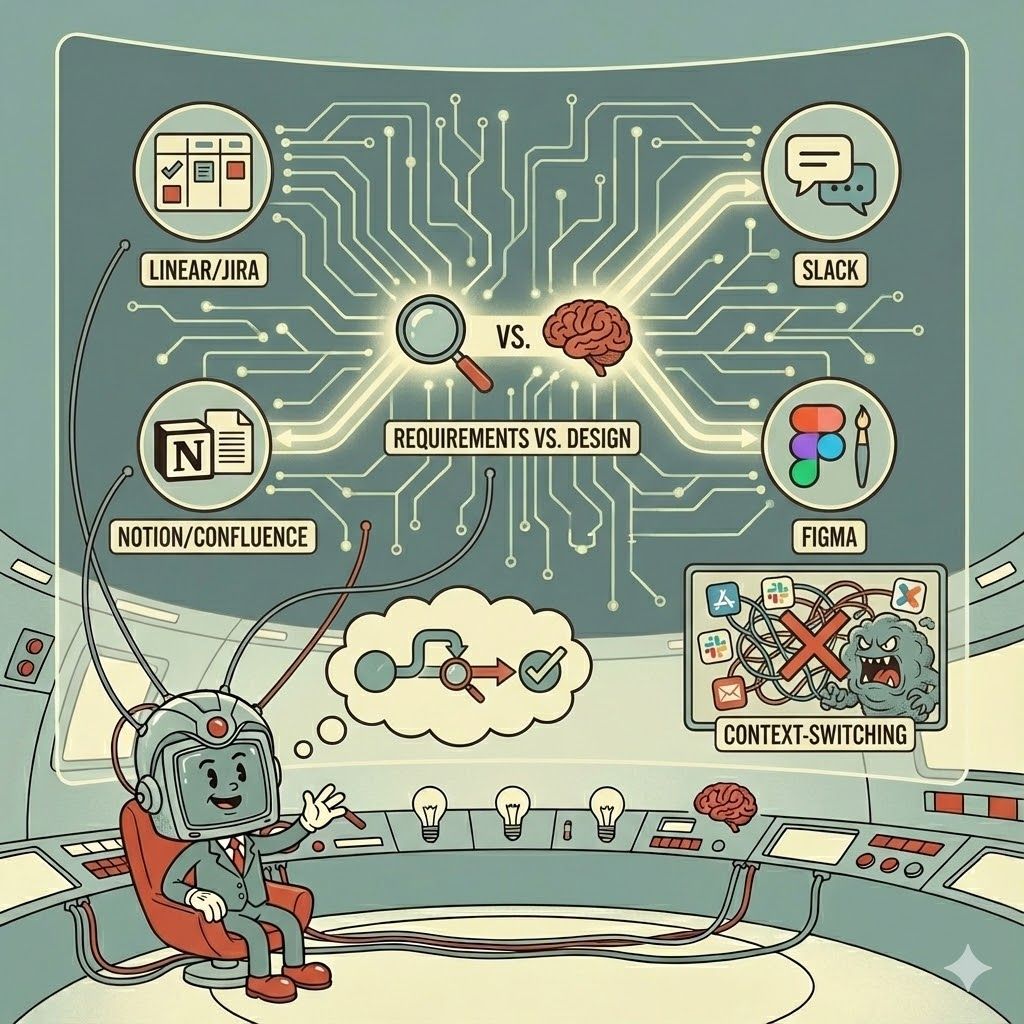
Just like Cerebro has different systems working in harmony to amplify Professor X's abilities, your command center has three layers:
Layer 1: The Chamber (Your AI Client)
This is Cerebro itself—your interface for coordination.
My setup:
Claude Desktop for product work, writing PRDs, analysis, research synthesis
Cursor for code-heavy work, prototyping, building apps
I switch between both depending on the task. But both have the same superpower: they connect to everything else through MCP (Model Context Protocol).
Other options:
Google AI Studio - Good for Google ecosystem integration
Why this matters: One interface, infinite capabilities. You're not switching between 15 different tools.
This is your coordination point, not just another chat interface. Everything else connects through here.
Layer 2: The Danger Room (Agent Skills)
In the X-Men universe, the Danger Room is where mutants train—not just to use their powers, but to apply them effectively in real situations. They practice scenarios, build muscle memory, and learn to work together.
Agent Skills are your Danger Room—specialized training protocols that teach your command center how to handle specific workflows.
Skills are learned capabilities that work anywhere, with any mission:
Document Workshop:
Create/edit DOCX, PDF, XLSX files
Generate diagrams and visuals
Extract text from images
Intelligence Protocols:
Web scraping and data extraction
Competitive analysis workflows
Market research synthesis
Technical Validation:
Execute code for validation
Run tests and experiments
Debug and troubleshoot
The key difference: Skills are training protocols you develop. They're not external team members—they're what your command center knows how to do.
Example: "Competitive Analysis Protocol"
Instead of manually scraping sites, copying data, formatting tables, and creating docs every time you need competitive intel, you train a skill that encapsulates the entire workflow:
Define scraping parameters
Extract and structure data
Analyze patterns and trends
Generate comparison document
Store insights for future reference
Create follow-up action items
Once trained, you invoke it with one command. Your command center knows what to do.
This is like how the X-Men train for specific mission types. They're not improvising in the field—they've practiced the patterns until they're automatic.
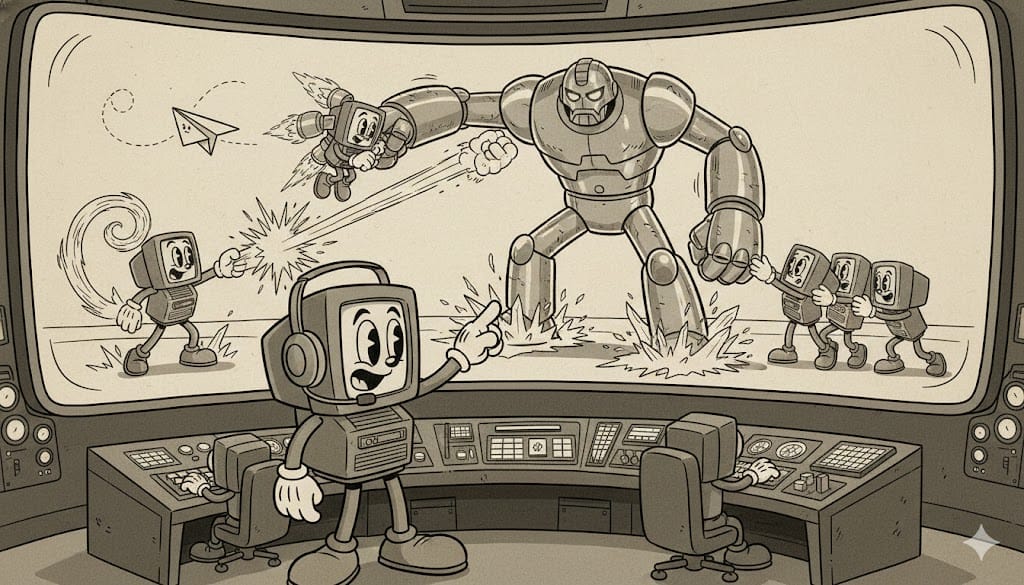
Layer 3: The X-Men (Your MCP Network)
Now here's where it gets interesting. Just like Professor X doesn't need every mutant's power himself—he just needs to know who to call and when—you don't need to learn every tool. You need to know what capabilities exist and how to compose them.
MCPs (Model Context Protocol servers) are your X-Men—specialized team members with specific powers that you can call on for different missions.
My actual setup for product work:
Context MCPs (what I can see):
GitHub - Browse repos, check specific files across apps
Atlassian - Manage JIRA tickets, reference/create Confluence PRDs
Figma - Pull images and screenshots from designs
File system - Access local documents and projects
Action MCPs (what I can do):
Slack - Team communication
FireCrawl - Web scraping and intelligence gathering
Memory - Knowledge graph maintaining context across sessions
Developer MCPs (when I'm building):
Supabase - Database operations
Render - Deployment and hosting
Sanity - CMS operations
The key insight: You don't need every MCP active all the time. You recruit based on the mission at hand.
I'm constantly experimenting and trying out different MCPs based on whatever problem I'm trying to solve. Adding an MCP generally takes less than 5 minutes.
The Capabilities You Can Actually Coordinate
Let me show you what this looks like in practice with real workflows I use daily.
Research & Intelligence Gathering
The capability: Web scraping, competitive analysis, market research, data extraction
My setup: FireCrawl MCP for collecting data from the web (plus other cool stuff), Manus for heavy multistep research, NotebookLM for collecting and digesting context and background information that is broadly available, and research skills for structured analysis
Why Manus over ChatGPT Agent Mode?
One word, “Context”
I switched from ChatGPT Agent Mode to Manus and immediately never looked back.
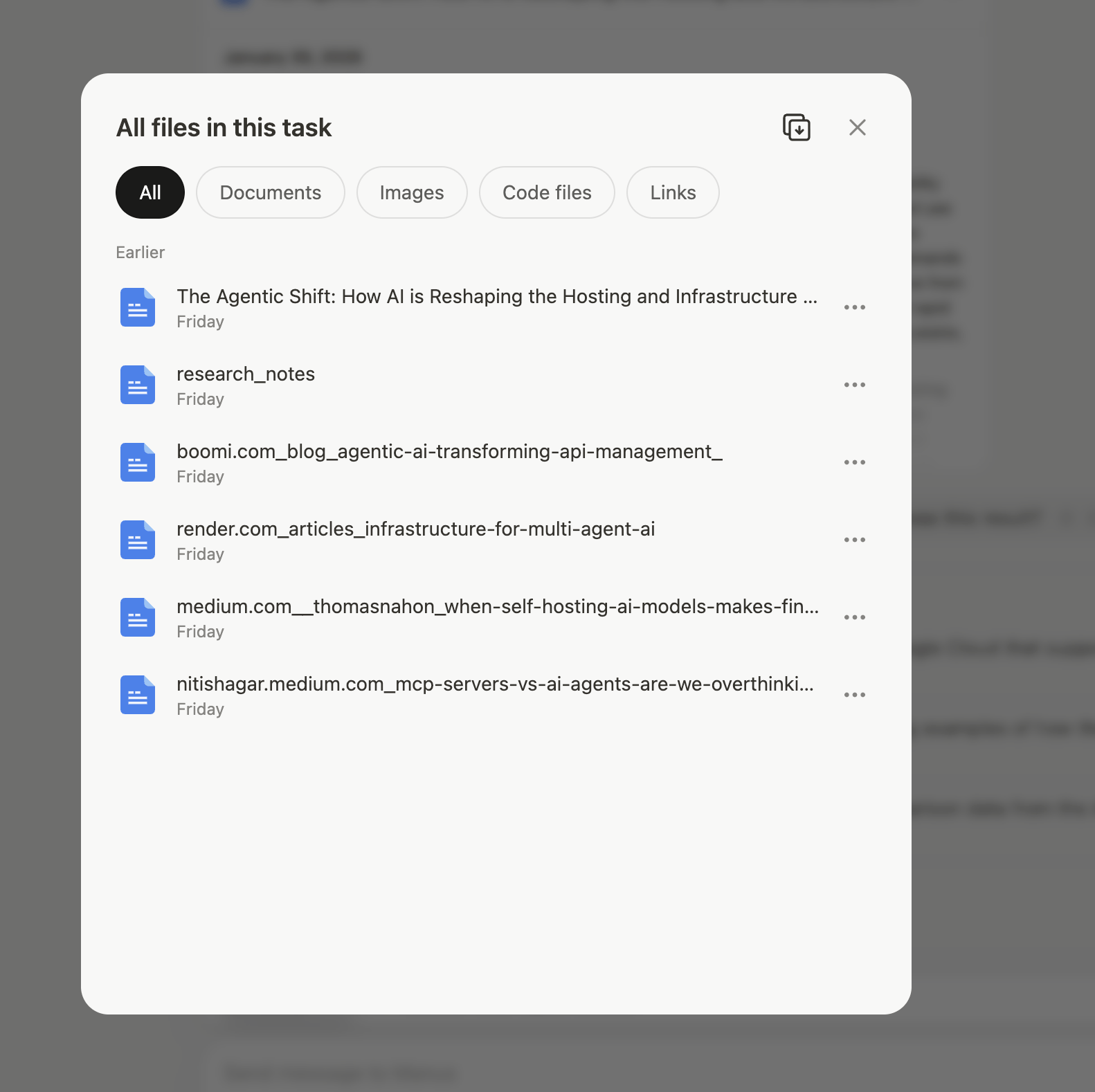
ChatGPT Agent Mode gives you responses. Manus gives you multiple file outputs for every step it took to get you your answer. Giving you a sort of “proof of thinking” and more modular pieces to use across other tools or tasks.
When I ask Manus to research something, it decomposes the task into steps. Each step produces a deliverable:
Sample CSV files with different data sources
Combined CSV with analysis
Data sources report showing where information came from
Quick start guide to use the findings
Markdown summary for humans
Five different files. All traceable back to sources.
The Two Modes: Why Research Stays External
I intentionally keep research outside my core operating system until it's vetted, refined, and reviewed by yours truly.
Why?
Because LLMs anchor to whatever you feed them. If you pull in bad information automatically, the AI starts using it as common assumptions.
I call this the "conspiracy theorist LLM problem."
You feed it random ideas. The LLM picks and chooses what to anchor to. Now every response is based on beliefs that might not be important or even accurate.
So research stays separate until it's vetted and ready to be canonical information. I run Manus externally, review all deliverables, check sources, validate findings, shape and refine the insights, then pull the validated context into Cursor or Claude Desktop.
Same with QA. Build separately, test separately, validate separately, then integrate.
This separation prevents contamination of your core operating system.
Design Validation & Comparison
The capability: Cross-referencing designs against requirements, identifying gaps
My setup: Figma MCP + Confluence MCP
Real workflow that saves me hours:
I had an old PRD in Confluence about a specific feature. Design just sent over mockups. Instead of manually comparing every section, I:
1. "Find my doc in Confluence about Feature X"
   [Claude pulls the doc through Confluence MCP]

2. "Load this Figma design and compare it to the requirements doc. What did I miss?"
   [Claude analyzes both, returns gaps]
Takes 30 seconds instead of 1-2 hours.
What Claude catches:
Missing features from the requirements
Design elements that weren't in the spec
Interaction patterns that contradict the PRD
Edge cases that weren't designed for
This is a high-value PM task that used to require careful manual attention. Now it's automated.
One of my favorite prompts:
"Review the most recent screens for X feature from Figma (link) and compare them
against my requirements for X feature in Confluence. Identify any requirements from
the PRD that seem to be missing from the design or anything present in the design
that doesn't seem to be covered in the requirements."
Sure, you could export the Figma screens and save the PRD in your project knowledge. But what if you edit the PRD in Confluence after your initial draft? Why take the time to export and upload screens if you can link to a specific frame?
I'll still go through the design with my requirements open. But this ensures I'm writing clearly for the entire team and that I'm 100% in sync with design on the experience and requirements.
Note: The Figma MCP has been a little buggy but they are an early adopter of MCP Apps so I’m hopeful that will improve the exprience, capabilities, and reliability 🤞
Cross-System Integration
The capability: Coordinating across multiple tools without context-switching
My setup: Linear/JIRA + Slack + Notion + Figma MCPs all connected
Real workflow:
"Pull insights from customer interviews in Notion and identify the most common complaints. Create tickets in Linear and include quotes from the interviews and links to the docs."
[Analyzes docs, generates structured tickets, posts updates—no copy-paste]
If you use Claude Code or Cowork (even from the desktop app) you can also ask it to try and recreate the issues in the browser and add the steps to the tickets.
Why this matters:
Having the ability to interface with all your tools from a single app allows you to become the systems thinker and focus on what should be considered rather than spending cognitive energy opening apps, jumping between screens, and manually typing up findings.
Context-switching research shows:
We lose 4-5 hours per week to app-switching friction
Each interruption takes 20+ minutes to fully refocus
Every switch costs roughly 20% of cognitive capacity
Too much switching prevents flow state entirely
Memory & Context: The Connective Tissue
This deserves special mention because it's what makes everything else AI does for you 10x more valuable/less cumbersome.
Professor X doesn't just coordinate in real-time—he maintains deep knowledge of each team member's history, capabilities, and how they've worked together before. This context makes every mission more effective.
My setup: Memory MCP with knowledge graph + file system access
Real workflow:
I actually updated my system prompt in Claude settings to encourage to be a proactive caretaker of our knowledge graph, identifying critical observations and discussions worth saving. I also told it having to repeat myself was a pet peeve and that it should check our memory for additional context before responding to me.
I've written extensively about this in my article on switching to Claude with MCP, where I explore how knowledge graphs change everything about AI-assisted work.
How to Actually Build This
Let me be honest: being an early adopter has its benefits. I kind of stumbled across MCP via a client called Fleur that let me toggle different MCPs on or off. I played around to figure out where the real opportunity was.
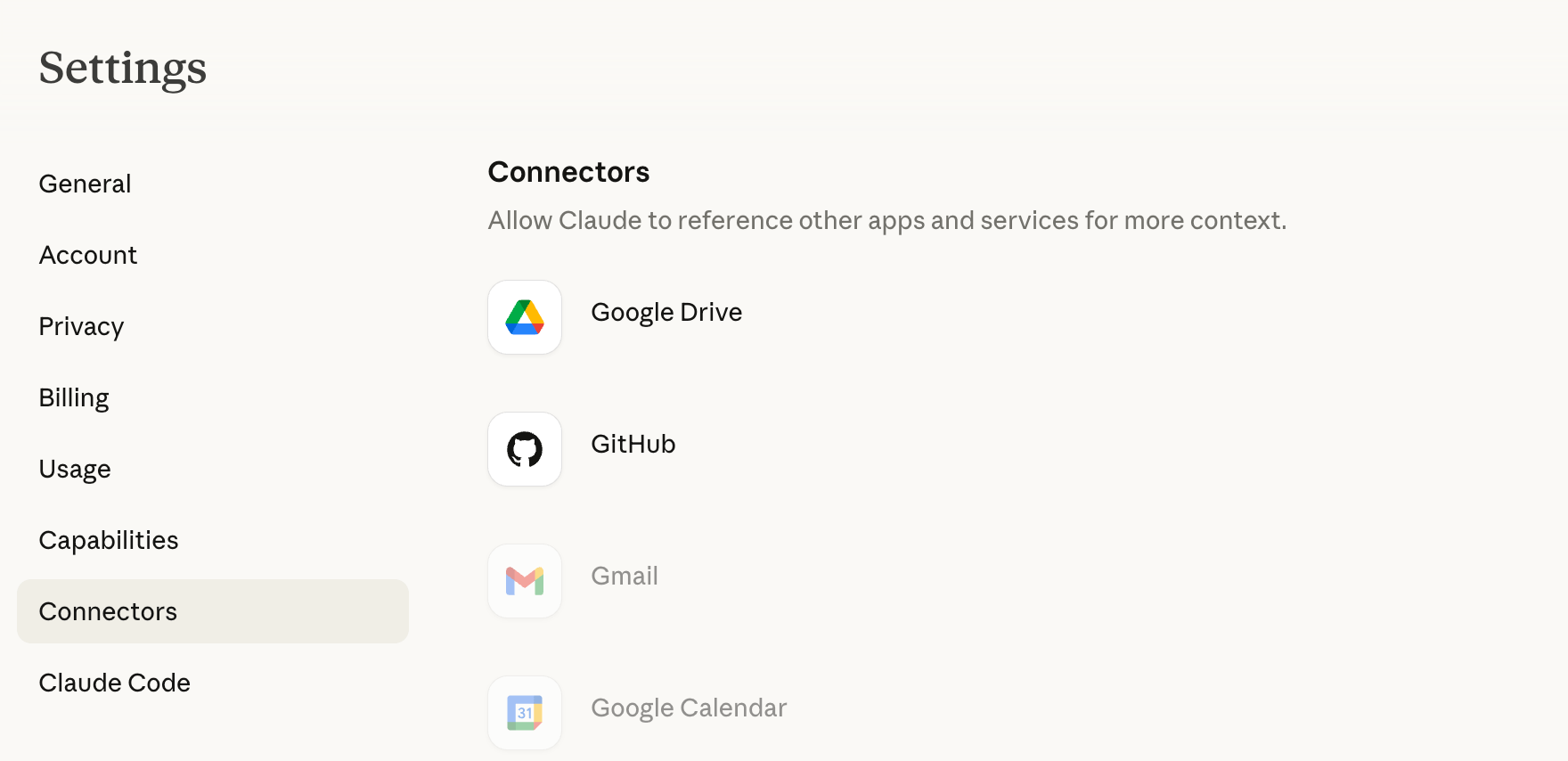
But I recommend a self-imposed progressive disclosure. Start with “Connectors” in Claude Settings, these are the sort of natively supported and more polished MCP based integrations. Find something that adds immediate value, poke around, figure out how it works, find the benefits, work it into your workflow, then move on to another one.
Don't try to add five or ten MCPs and make them all work together right out of the gate. That way you don't get overwhelmed, hit a wall, or accidentally mess something up.
Connect Your Primary Work Systems
Pick your two most-used work tools. I'd say:
Your project/task tracking system (Linear, JIRA)
Whatever tool your requirements documentation lives in (Notion, Confluence)
Any company-wide tools for documentation or communication (Slack, Teams)
Start by asking it to get context from those tools, then play around with "pushing" what you're working on back to those tools.
Fun workflow to try:
Analyze user feedback to identify top opportunities
Ask Claude to check your documentation for relevant features
Ask it to add a section to the doc
Ask it to create tickets in your tracking system
Have it ping your team channel with updates and links
For most day-to-day work, this is already a huge productivity boost.
Time investment: 1-2 hours to set up, 3-4 hours of practice to get fluent
Add Specialized Capabilities Based on Friction
After you've got your core context integrated, pay attention to where you're still experiencing friction:
Constant context-switching? → Add more core tool MCPs
Manual competitive research? → Add FireCrawl + research skills
Repetitive document creation? → Add document skills
Technical validation bottlenecks? → Add database MCPs
Lost context between sessions? → Strengthen memory setup
Time investment: 30 minutes to 1 hour per capability added
Build Composed Workflows
Once you have multiple capabilities connected, the real magic happens. You can run complete workflows that maintain context across multiple operations.
Example workflow I use weekly:
1. Pull current roadmap from Linear
2. Research competitor approaches (FireCrawl)
3. Compare to our implementation (GitHub)
4. Generate analysis doc with recommendations (document skills)
5. Create review ticket with full context (Linear)
All from one conversation. Context never breaks.
Time investment: 1-2 hours to build your first composed workflow, but it's yours forever
"Won't I still need some traditional tools?"
Yes. This isn't about eliminating every tool.
You'll still use Figma for complex design work—but you'll access files and export assets through a Figma MCP without leaving your command center.
You'll still use Amplitude for deep analytics—but you'll pull metrics and run standard analyses through your orchestration layer.
The goal isn't "one tool to rule them all." It's "one command center to coordinate everything."
"My company won't approve this."
Actually, this is one of the best things about the operating system approach.
Corporate IT departments are slow. You can't get approval for new tools. Security reviews take months. Enterprise licenses are expensive.
But you're not asking for new tools. You're connecting existing tools through a better interface.
You already have access to Claude or Cursor. You already use JIRA, Figma, GitHub, Confluence.
If they are concerned about it, start with read only access and go from there.
The Future Is Composable
We're moving from an era where PMs subscribe to dozens of disconnected tools to an era where PMs orchestrate capabilities from a central command center.
This isn't just about productivity. It's about fundamentally changing what's possible in the role.
You can now:
Validate technical feasibility without waiting on engineering
Deploy prototypes for user testing without DevOps pipelines
Analyze complex datasets without data analysts
Build production applications without being a developer
Maintain context across entire projects without manually documenting everything
The infrastructure is ready. The capabilities are waiting.
What's your Cerebro going to look like?
Mike Bal is Head of Product and AI at David's Bridal, where he's building Pearl Planner—an AI-native wedding planning platform. He writes about product management, AI implementation, and building your command center at leadingproduct.link.
Resources
AI Clients:
Claude Desktop - Recommended for product work
Cursor - Recommended for building
Google AI Studio - Google ecosystem
MCP Documentation: